AI Overview
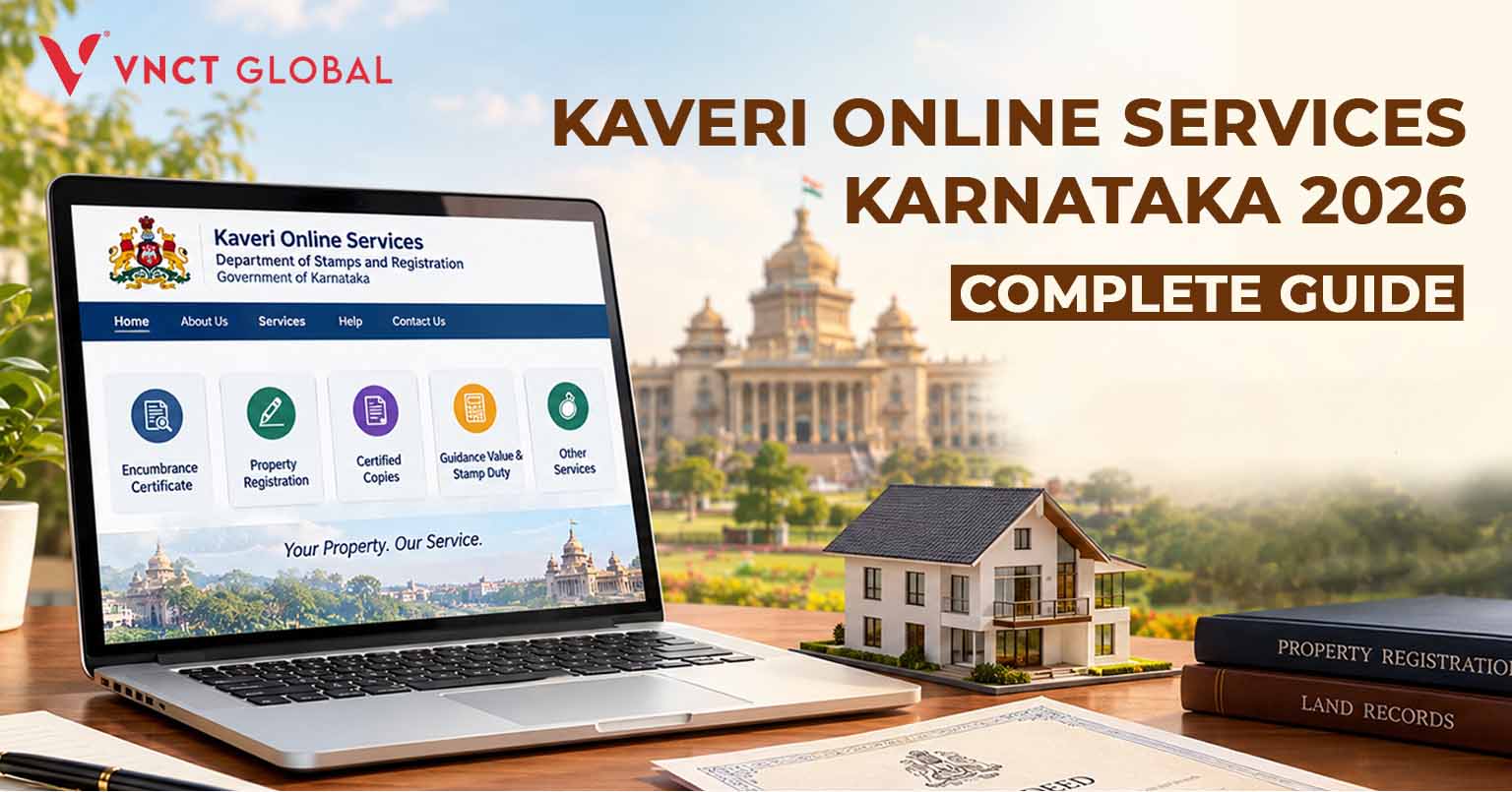
Kaveri Online Services Karnataka 2026 is the online property and document registration platform operated by the Department of Stamps and Registration, Government of Karnataka. Through the Kaveri 2.0 portal, users can access services such as Encumbrance Certificate (EC) applications, property valuation, document registration, certified copies and registration-related facilities. Buyers can complete eligible online steps before visiting the relevant Sub-Registrar Office for verification and final registration. NRIs purchasing property in Karnataka should verify ownership records, applicable fees, document requirements and representation rules before proceeding.
Introduction
Kaveri Online Services Karnataka 2026 makes property-related documentation easier to manage by bringing several registration services together on a government online portal. Whether you are purchasing a plot in Bengaluru, selling inherited property, checking an Encumbrance Certificate or managing a property transaction from abroad, understanding Kaveri 2.0 can help you prepare the necessary documents and avoid unnecessary delays.
For first-time buyers, the registration process may seem complicated because it involves property valuation, stamp duty, legal documents and appointments. This guide explains how Kaveri 2.0 works, which services are available, how to prepare for registration and what NRIs should know before buying property in Karnataka.
What Is Kaveri 2.0?
Kaveri 2.0 is the upgraded online platform of Karnataka’s Department of Stamps and Registration. It supports property registration and related documentation services, reducing the need to complete every preliminary step manually.
The portal is useful for property buyers, sellers, landowners, legal professionals and people managing property transactions remotely.
Official portal: https://kaveri.karnataka.gov.in/
Always access the government website directly and check the latest instructions displayed on the portal before submitting an application or making a payment.
Key Services Available on Kaveri Online Services
1. Encumbrance Certificate (EC)
An Encumbrance Certificate records registered transactions affecting a property during a specified period. Buyers commonly request an EC when purchasing land or a house, applying for a home loan or reviewing a property’s transaction history.
An EC is an important verification document, but it does not independently establish that a property has a clear title. Buyers should also review previous title deeds, ownership records and other relevant documents with a qualified property lawyer.
2. Property registration
Kaveri 2.0 supports document registration workflows for eligible transactions, including sale deeds and other registrable instruments.
Users may be required to enter the details of the parties, property description and transaction, submit supporting documents, complete the applicable payment process and arrange an appointment with the appropriate Sub-Registrar Office.
The exact steps depend on the document type and the requirements applicable to the transaction.
3. Property valuation
The portal provides property valuation facilities that help users check the applicable government guidance value.
This value is relevant when estimating stamp duty and registration expenses. However, the guidance value and the negotiated market price may differ. Buyers should confirm the applicable valuation rules and charges before finalising their budget.
4. Certified copies
Certified copies of registered documents may be requested through the available online services. These can be useful when the original document is unavailable, a bank requests a copy or an owner needs documentation for a future transaction.
Check the portal for the relevant application procedure, charges and document availability.
5. Other registration services
Depending on the document and service category, Kaveri 2.0 also supports other registration-related processes, including eligible marriage registration and registration of firms.
The available services and procedural requirements may change. Refer to the current portal for the latest information.
Kaveri 2.0 Login and New User Registration
To access services, visit the official Kaveri 2.0 website and select the relevant login or registration option.
- Open the official portal.
- Select the appropriate registration or login option.
- Enter the requested personal and contact details.
- Complete any verification required by the website.
- Sign in and select the service you need.
Keep your registered mobile number and email accessible. The portal’s interface and authentication requirements may change, so follow the current on-screen instructions.
How to Use Kaveri 2.0 for Property Registration
Follow these steps to prepare for a property registration in Karnataka.
Step 1: Open the official website
Visit the Kaveri Online Services portal and locate the relevant service. Avoid unofficial websites that ask for unnecessary personal information or additional payments.
Step 2: Register or log in
Create an account if required, providing the requested personal and contact details. Existing users can sign in using their registered credentials and complete any verification requested by the portal.
Keep your registered mobile number and email accessible for authentication and updates.
Step 3: Select the required service
Choose the appropriate option, such as document registration, EC application, certified copy or property valuation.
Read the instructions carefully before proceeding.
Step 4: Enter the property details
Provide the requested information accurately. Depending on the transaction, this may include the property’s location, survey number, document details, buyer and seller information, and transaction value.
Ensure that the information matches the supporting records.
Step 5: Check valuation and charges
Review the applicable guidance value, stamp duty and registration fee. Charges depend on the transaction and prevailing government rules.
Do not rely on an old online calculator or an estimate from a previous year without checking the current requirements.
Step 6: Upload documents and pay
Upload the requested documents in the specified format, review the entries and complete payment through the authorised payment facility where available.
Save the application reference, payment receipt and confirmation details.
Step 7: Book an appointment
If the selected service requires an appointment, choose the appropriate Sub-Registrar Office and available slot.
Confirm the list of original documents, witnesses and other requirements before travelling.
Step 8: Complete final registration
Online preparation does not necessarily mean the entire registration process can be completed remotely. The parties may need to attend the Sub-Registrar Office for identity verification, biometrics, signatures or other statutory formalities.
Follow the instructions issued for your specific transaction.
How to Download an Encumbrance Certificate on Kaveri 2.0
An EC is an important part of property due diligence, particularly when purchasing land or a resale property.
To request an EC:
- Visit the official Kaveri 2.0 portal.
- Locate the Encumbrance Certificate service.
- Enter the property details and requested period.
- Complete the application and payment steps, if applicable.
- Submit the request and check the application status.
- Download the certificate if the portal makes it available for your application.
The exact options may vary according to the property records and service selected.
Important: An EC does not independently prove that a property has a clear title. Review the title deeds, ownership records, relevant approvals and other documents with a qualified property lawyer.
Documents Required for Property Registration
The required documents depend on the property, transaction type and current government rules. Buyers and sellers may need some or all of the following:
- Draft sale deed or relevant instrument.
- Identity and address proof of the parties.
- PAN details, where applicable.
- Previous title deeds and ownership records.
- Encumbrance Certificate, where required.
- Property valuation and transaction details.
- Applicable Khata or property records.
- Property tax receipts or other supporting records, where applicable.
- Powers of Attorney and supporting authorisations, if relevant.
- Additional approvals or No Objection Certificates, where required.
For agricultural land, converted land, inherited property and properties within municipal limits, the documentation requirements may differ. Obtain a property-specific checklist before making a payment or booking an appointment.
Kaveri 2.0 Fees and Stamp Duty in 2026
There is no single fixed registration cost for every property transaction in Karnataka.
The total amount can depend on the transaction type, property valuation, applicable stamp duty, registration fee and other prescribed charges. The applicable rates may also change following government notifications.
Before proceeding:
- Check the current guidance value.
- Confirm the applicable stamp duty.
- Verify the registration fee and other charges.
- Review the payment amount displayed through the authorised system.
- Keep all payment receipts for your records.
For a high-value property purchase, ask a property lawyer or qualified registration professional to review the expected costs before executing the transaction.
Differences Between Kaveri 1.0 and Kaveri 2.0
The transition to Kaveri 2.0 represents a major upgrade in Karnataka’s property registration infrastructure, moving from a legacy data-entry system to an integrated digital workflow.
- Pre-Registration Verification: Under Kaveri 1.0, data entry and document checking were handled manually at the Sub-Registrar Office (SRO). Kaveri 2.0 allows users to enter property details, upload supporting documents, and pay fees online before booking an SRO visit.
- Faster SRO Turnaround: Because preliminary verifications, valuation checks, and payment processing occur online, physical visits to the SRO are typically reduced to identity verification, biometric capture, and final signature execution.
- Integrated Land & Revenue Records: Kaveri 2.0 integrates directly with digital land records (such as Bhoomi and Urban Property Ownership Records – UPOR), helping minimize manual data mismatch errors during registration.
- Direct Bank & Payment Gateway Links: Fee payments are processed electronically via integrated e-Challan systems, reducing the reliance on physical demand drafts or manual challan verification.
How to Track Kaveri 2.0 Application Status Online
After submitting an application for an Encumbrance Certificate, property registration, or certified copy, you can monitor its progress directly through the portal:
- Log In to the Portal: Visit the official Kaveri 2.0 portal ([https://kaveri.karnataka.gov.in/]and sign in to your registered account.
- Access Application History: Navigate to the Service Tracking or My Applications tab on your user dashboard.
- Search by Reference Number: Enter your Application Reference Number or Acknowledgement Number assigned during submission.
- View Current Status: The portal will display whether your application is under review, pending fee payment, approved, or ready for download/SRO appointment.
Kaveri 2.0 Helpdesk, Helpline & Technical Support
If you encounter portal downtime, payment errors, or login issues, contact the official helpdesk for assistance:
- Official Portal: [https://kaveri.karnataka.gov.in/landing-page]
- Department Website: Department of Stamps and Registration, Government of Karnataka
- Support Channel: Check the “Helpdesk” or “Contact Us” tab on the official landing page for active toll-free numbers, email support, and regional office contact details.
Important Note: Always double-check helpline details directly on the official government website to avoid third-party phishing or fraud portals.
Kaveri Online Services Karnataka 2026: A Guide for NRIs
NRIs purchasing or managing property in Karnataka often need to coordinate with family members, lawyers, sellers and registration authorities while living outside India.
Kaveri 2.0 can help with eligible online preparation and document-related services. However, NRIs should not assume that every stage can be completed from overseas.
Can NRIs use Kaveri 2.0 from abroad?
NRIs can access online services where the portal permits them to do so. The ability to complete a transaction remotely depends on the service, identity verification requirements and applicable registration rules.
Before beginning, confirm whether the transaction requires personal attendance or whether a properly executed Power of Attorney can be used. Any authorisation must satisfy the applicable legal and registration requirements.
What should NRIs verify before buying property?
An overseas buyer should pay particular attention to the following:
- Ownership: Verify the title chain and the seller’s legal right to transfer the property.
- EC: Review the available registered transaction history.
- Land and property records: Check the relevant revenue, municipal or local-body records.
- Approvals: Confirm land-use status, building permissions and other approvals where applicable.
- Payment: Understand the applicable banking, tax and remittance requirements.
- Registration: Confirm the required documents, attendance rules and appointment procedure.
- Power of Attorney: Obtain independent legal advice before authorising another person to act on your behalf.
An online record search is only one part of property due diligence. A qualified lawyer should review the complete transaction before the buyer commits substantial funds.
How VNCT Global Supports NRIs Buying Villas in Tamil Nadu
Kaveri 2.0 is relevant to property registration in Karnataka. NRIs considering a villa in Tamil Nadu need to follow the registration and legal requirements applicable to that state instead.
VNCT Global focuses on villa projects in Tamil Nadu and can be a relevant starting point for overseas buyers exploring villas in Chennai, villas in Madurai and villas in Coimbatore.
For NRIs who cannot visit India frequently, the property-buying process involves more than choosing a location. They may need assistance coordinating virtual property visits, collecting project information, understanding the documentation process and arranging communication with the appropriate team.
When evaluating any developer, buyers should independently verify the project approvals, title documents, construction details, payment terms and registration requirements.
Exploring VNCT Global villa projects
NRIs researching the best villa developers in india may compare location, documentation, construction quality, pricing and after-sales support before making a decision. The phrase largest villa developers in india is another search term some buyers use, but company size alone does not establish the legal safety or suitability of a particular project.
VNCT Global’s project portfolio includes names such as Brookside Residences, Palm Shore, Palm Beach, Creek Residences, Park Villas and Ocean Drive Villas. Availability and project status should be confirmed directly with the company.
Buyers searching for the best villa projects in Chennai, best villa projects in Coimbatore and best villa projects in Madurai should compare individual projects rather than relying solely on general rankings.
The same principle applies to searches for best villa devlopers in india and largest villa devlopers in india: review the evidence behind any claim before choosing a developer.
For additional research, the search phrases best villa developers in india and largest villa developers in india can be used alongside project-specific checks. Similarly, best villa devlopers in india and largest villa devlopers in india should not replace independent legal verification.
A buyer considering a House construction company in chennai should also compare construction contracts, approval responsibilities, specifications and completion terms.
For property enquiries, events in dubai may provide an opportunity for overseas buyers to meet real-estate representatives and discuss projects in person. Check the organiser, date and venue before attending.
To learn more about VNCT Global and its villa projects, visit the company’s official website and use its verified contact channels. You can also search for contact us vnct global to locate its enquiry options.
Common Mistakes to Avoid on Kaveri 2.0
Entering incorrect property details: Even small errors in survey numbers, names or property descriptions can create delays.
Assuming an EC guarantees clear ownership: An EC should be reviewed alongside title deeds, land records and other legal documents.
Using outdated fee information: Registration charges and procedures may change. Verify current rates before paying.
Uploading incomplete documents: Check the required format, signatures and supporting records before submission.
Booking the wrong Sub-Registrar Office: Confirm the property’s jurisdiction before scheduling an appointment.
Assuming an NRI can complete every step remotely: Attendance, biometric verification and authorisation requirements depend on the transaction.
Relying entirely on online records: Government portal information is valuable, but it does not replace comprehensive legal due diligence.
Conclusion
Kaveri Online Services Karnataka 2026 gives buyers, sellers and property owners a central online platform for registration-related services, EC applications, property valuation and supporting documentation.
The best way to avoid delays is to prepare accurate property details, verify the required documents, check current fees and follow the instructions issued by the relevant Sub-Registrar Office. NRIs should also confirm whether their transaction requires personal attendance or legally valid representation.
For anyone buying property in Karnataka, Kaveri 2.0 is an important part of the process—but careful legal verification remains essential before completing a purchase.
FAQ’s For Kaveri Online Services Karnataka 2026
What is Kaveri Online Services Karnataka 2026?
It is Karnataka’s online platform for property registration and related services managed by the Department of Stamps and Registration.
What is the official Kaveri 2.0 website?
The official portal is https://kaveri.karnataka.gov.in/landing-page.
Can I download an Encumbrance Certificate online?
The portal supports EC-related services. Availability, application requirements and the procedure depend on the property records and service selected.
Can I register property online in Karnataka?
You can complete eligible online preparation steps through Kaveri 2.0. Final registration may require attendance at the relevant Sub-Registrar Office.
How do I check property guidance value?
Use the property valuation facility on the official portal and enter the requested property details. Confirm the result and applicable charges before proceeding.
What documents are required for Kaveri 2.0 registration?
Requirements depend on the transaction but may include the deed, identity documents, title records, property details, EC and other supporting documents.
Can NRIs use Kaveri 2.0?
NRIs can access eligible online services from abroad. They should confirm identity verification, attendance and Power of Attorney requirements for their particular transaction.
Is an Encumbrance Certificate enough to verify a property?
No. An EC is one important document, but buyers should also verify the title chain, ownership records, approvals and other relevant documents with a qualified lawyer.
Are Kaveri 2.0 fees the same for every property?
No. Applicable costs depend on the transaction, valuation and current government rules. Check the latest rates before paying.
Does Kaveri 2.0 register properties in Tamil Nadu?
No. Kaveri 2.0 is Karnataka’s registration portal. Property transactions in Tamil Nadu must follow the applicable Tamil Nadu registration procedures.